
Outgoing connections security
Authenticate outgoing REST, SOAP and other connections with the type the remote system expects.
Zato services call external systems through outgoing connections - REST, SOAP, GraphQL, IMAP, SQL, ElasticSearch and the other connection types. Each connection pairs the address that it calls with the credentials that the remote system expects, so authentication is part of the connection's definition, not of your code.
A single security definition may cover any number of outgoing connections, and changes to connections or definitions take effect without restarts.

Use security definitions
You create a security definition first, under the Security menu in the Dashboard, and assign it when you create or edit an outgoing connection of the matching type:
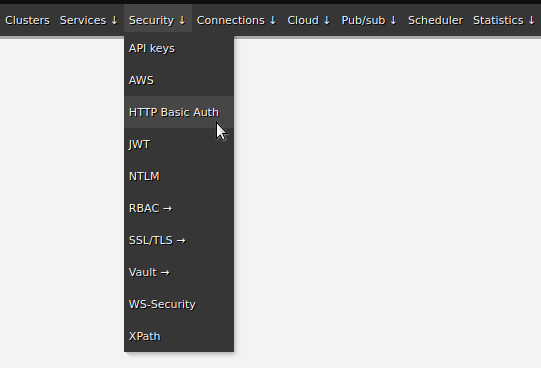


Choose a security type
An outgoing connection proves who Zato is to the remote system, so pick the type that the system expects:
| Type | What Zato sends | Use it when |
|---|---|---|
| Basic Auth | A username and password in the Authorization header | The remote system issued you credentials |
| API key | A key in a header, X-API-Key by default | The remote system issued you a key |
| Bearer token | An OAuth 2.0 bearer token | The remote system uses OAuth 2.0 |
| mTLS | A client certificate | The remote system authenticates callers by certificate - see mTLS |
| NTLM | NTLM credentials, usually DOMAIN\user | The remote system is a Windows service expecting NTLM |
| Kerberos (SPNEGO) | A Kerberos ticket from a keytab | The remote system is on a Kerberos realm - see Kerberos |
NTLM and Kerberos are outgoing-only - they authenticate Zato to a remote system and cannot secure a channel.
Not every connection type takes every security type:
| Connection type | Basic Auth | API key | Bearer token | mTLS | NTLM | Kerberos |
|---|---|---|---|---|---|---|
| REST | Yes | Yes | Yes | Yes | Yes | Yes |
| SOAP | Yes | Yes | Yes | Yes | Yes | Yes |
| HL7 FHIR | Yes | - | Yes | - | - | - |
| GraphQL | Yes | Yes | Yes | - | - | - |
The remaining outgoing types - SQL, IMAP, SMTP, LDAP, SFTP, MongoDB, Odoo and the other connection-specific types - do not use security definitions at all. Each has its own credentials, a username and password entered on the connection itself - you change the password through the connection's Change password action.
Timeouts and retries
Set a timeout on every outgoing connection, so that a remote system that stops responding does not become your own outage. A connection with retries configured retries its health check too, so a long retry policy delays the point at which the health check reports a failure.
Automation with enmasse
Once the connections work, export them with enmasse - the YAML holds the definitions and connections without any passwords, and importing it from the command line recreates the setup in any environment.
See also
| Page | What it covers |
|---|---|
| Channel security | Authenticating the callers of your own APIs |
| mTLS | Client certificates on both channels and outgoing connections |
| Health checks | How retries on a connection delay failure reports |